![PingPong_Logo [Blue]-3](https://x.intl.pingpongx.com/hubfs/PingPong_Logo%20%5BBlue%5D-3.png)
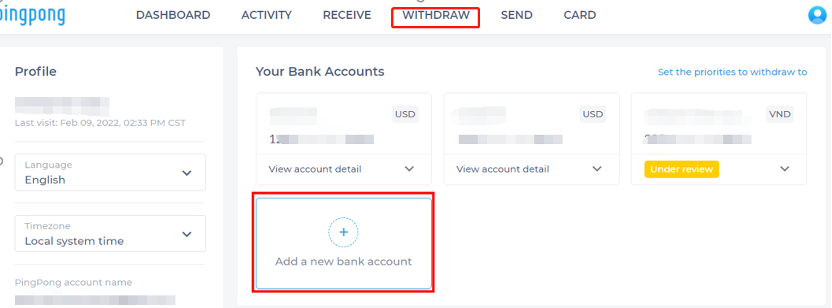
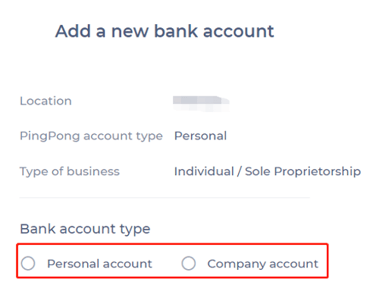
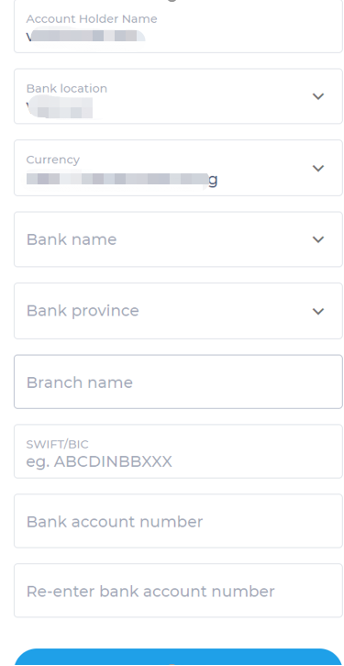
Step 1: In your PingPong account, select “Withdraw” and then click “Add a new bank account”. From there select your bank account type. You can select personal account or company account.
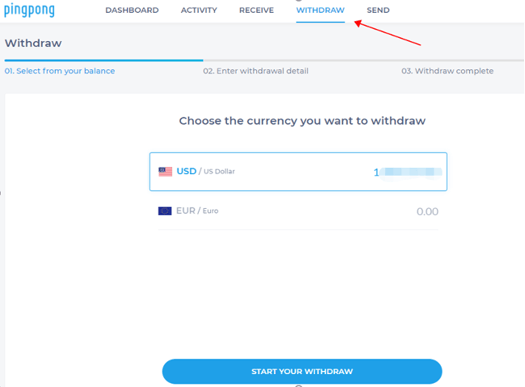
Step 2: Click withdraw to the operation page. Select the currency you want to withdraw.
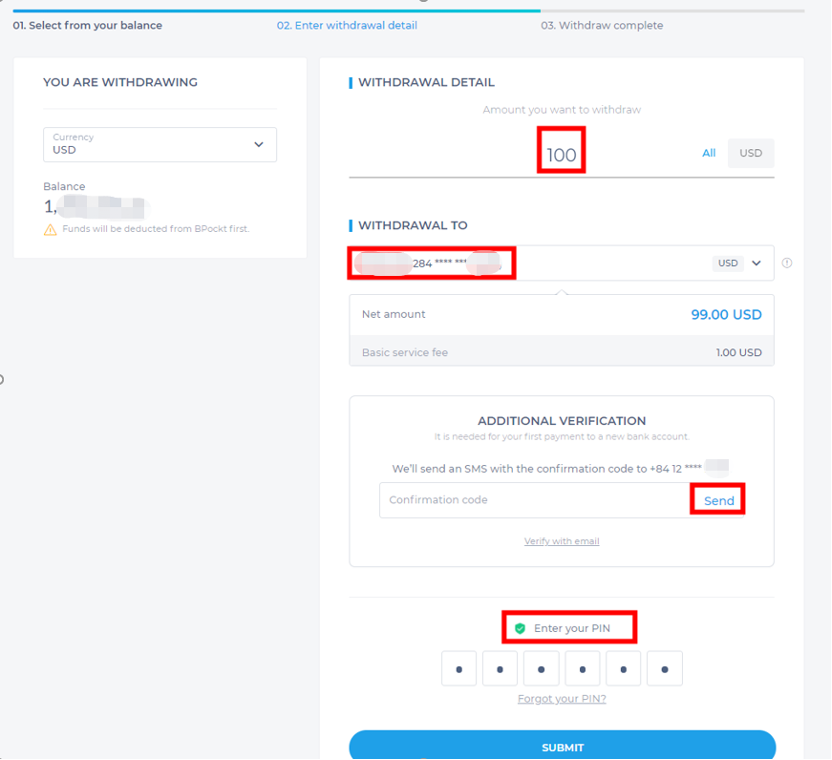
Step 3: Fill in the withdrawal amount and withdraw card, and enter your confirmation code and PIN to complete the process.
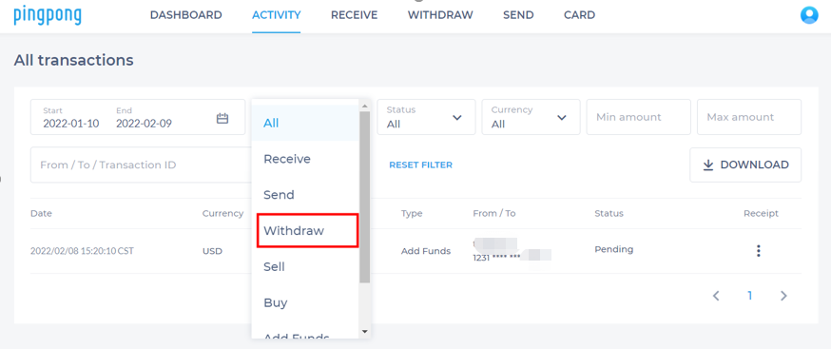
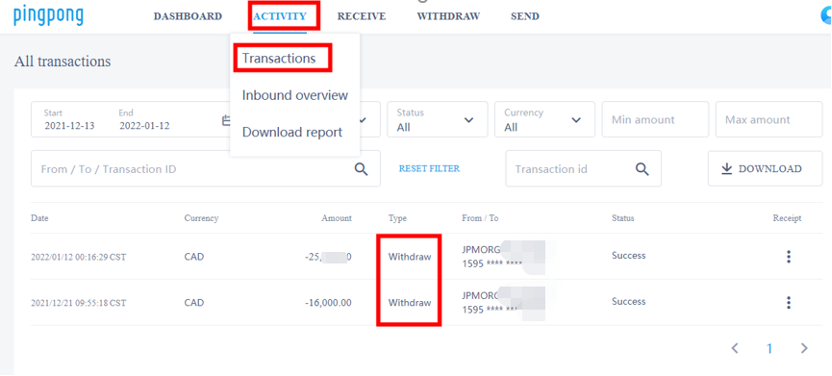
Step 4: If you want to check your withdrawal records, select the “Activity” tab, select “All” and then click withdraw. From here you’ll be able to see your withdrawal history.
Still have more questions? Contact support today.