![PingPong_Logo [Blue]-3](https://x.intl.pingpongx.com/hubfs/PingPong_Logo%20%5BBlue%5D-3.png)
NOTE: At this time, the PingPong Wallet service is only available to USA clients. Within the USA, this function is currently unavailable in the following 6 states: Colorado (CO), Hawaii (HI), Nevada (NV), New Jersey (NJ), New York (NY), and Florida (FL).
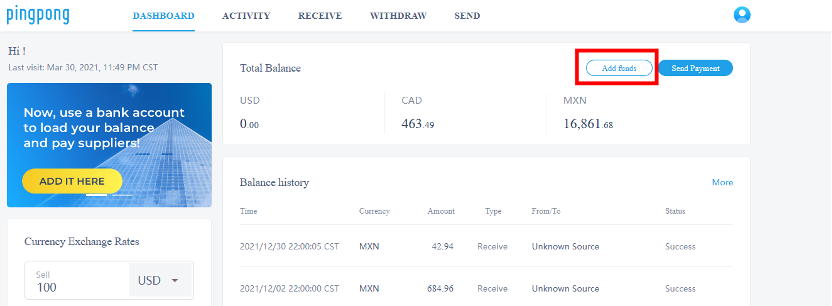
Step 1: Select the “Dashboard” tab. Then select “Add funds”.
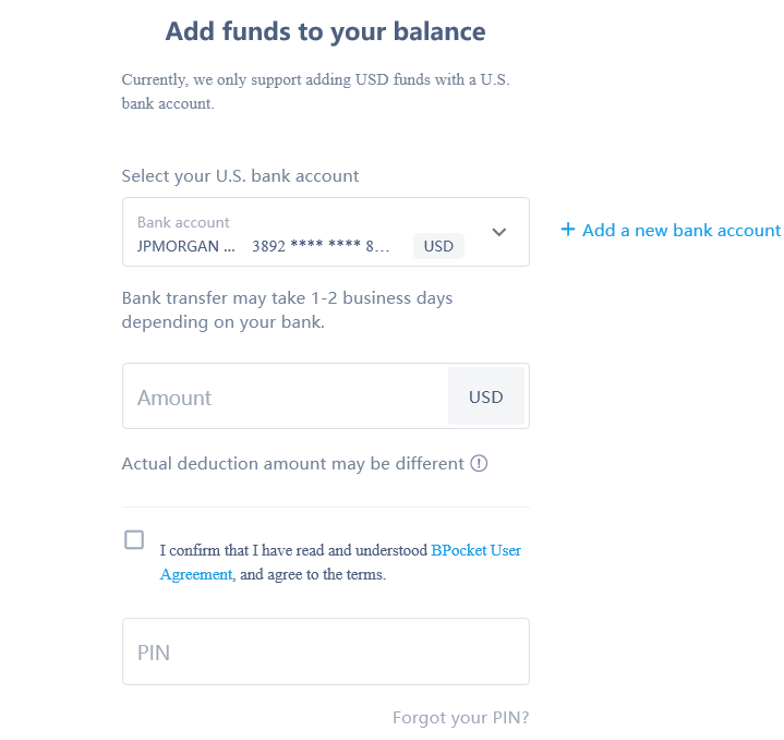
Step 2: Choose the U.S. bank account that you’d like to top up. Fill in the amount and your PIN.
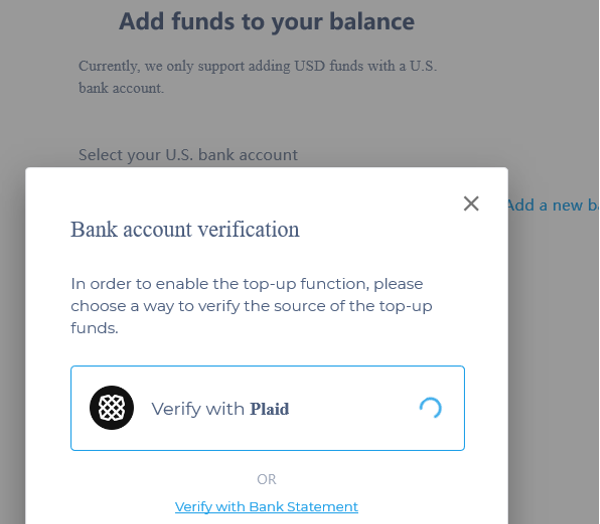
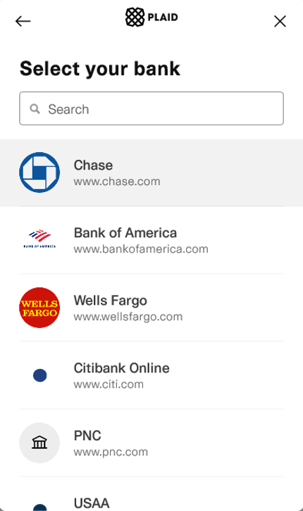
Step 3: From here you have the ability to verify your bank account with Plaid or with your bank statement.
Step 4: Go through the bank account verification process for the option you would like to proceed with.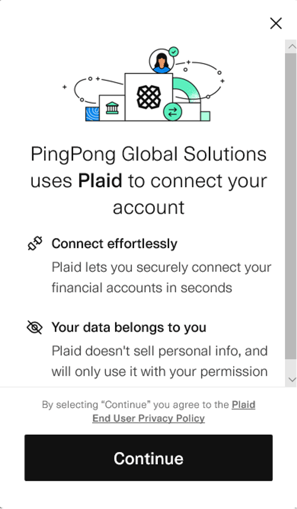
Step 5: Once you’ve been verified, you’ll be greeted with a page that indicates that your top-up was successfully completed.
Still have more questions? Contact support today.