![PingPong_Logo [Blue]-3](https://x.intl.pingpongx.com/hubfs/PingPong_Logo%20%5BBlue%5D-3.png)
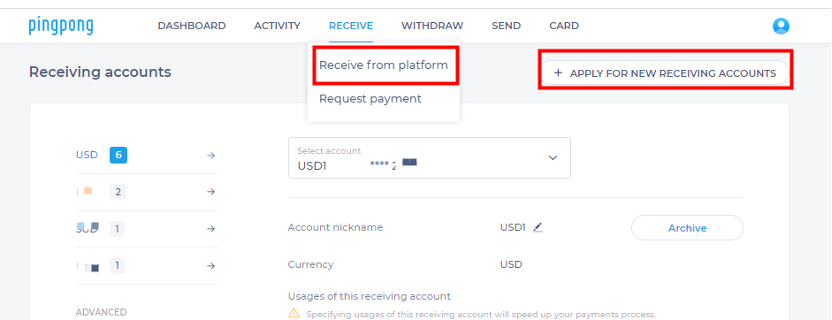
Step 1: Come to the application page by clicking receive from the platform under RECEIVE tab. Locate APPLY FOR NEW RECEIVING ACCOUNTS and click.
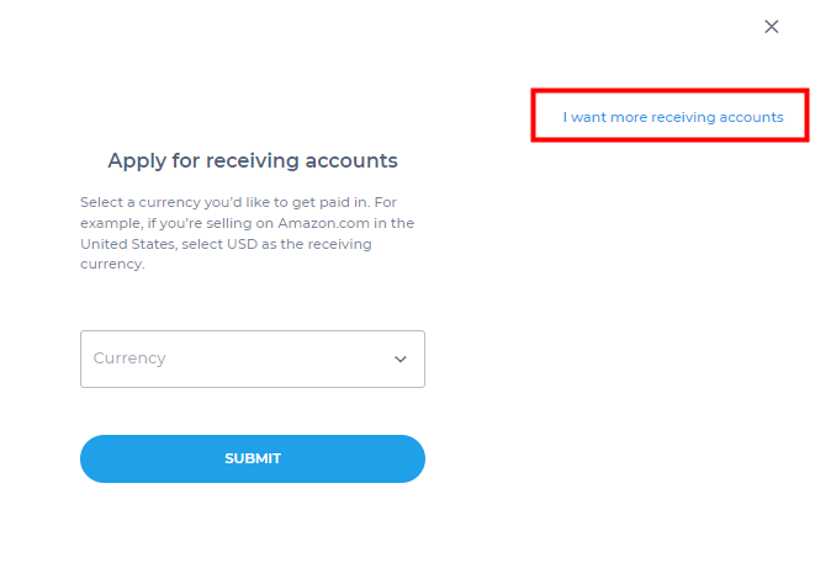
Step 2: click I want more receiving accounts
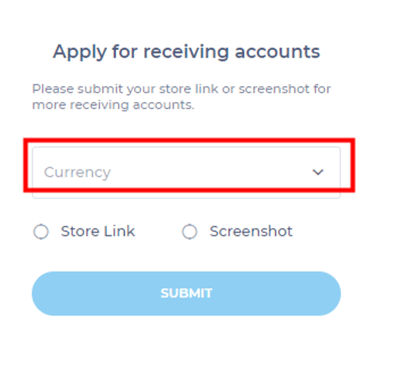
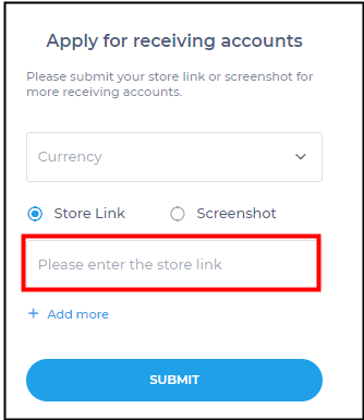
Step 3: Choose the currency of account you want to add
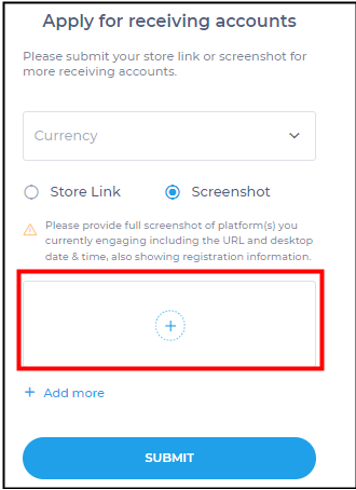
Step 4: Add store link or store screenshot. Then click SUBMIT.
Note:
1) Please provide a full screenshot(s) of the platform(s) you are currently engaged including the URL and desktop date & time, also showing registration information.
2) The link should be valid to access.
3) Each link or screenshot will be eligible for 5 additional accounts.
Step 5: The PingPong team will review the submission. The application will be processed within 3 business days.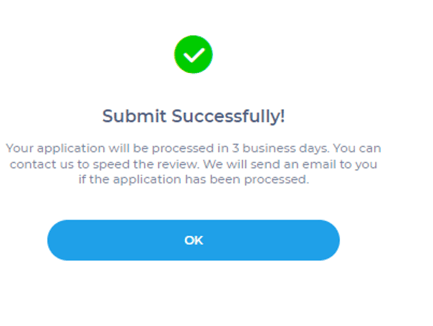
Still have more questions? Contact support today.